CMS
Edit what visitors see.
With the gemelo CMS, your team manages the texts, images, videos, translations and settings of your media stations itself. Editing takes place in the original station software: on the left the station as visitors see it, on the right the input fields – every change is visible there instantly.
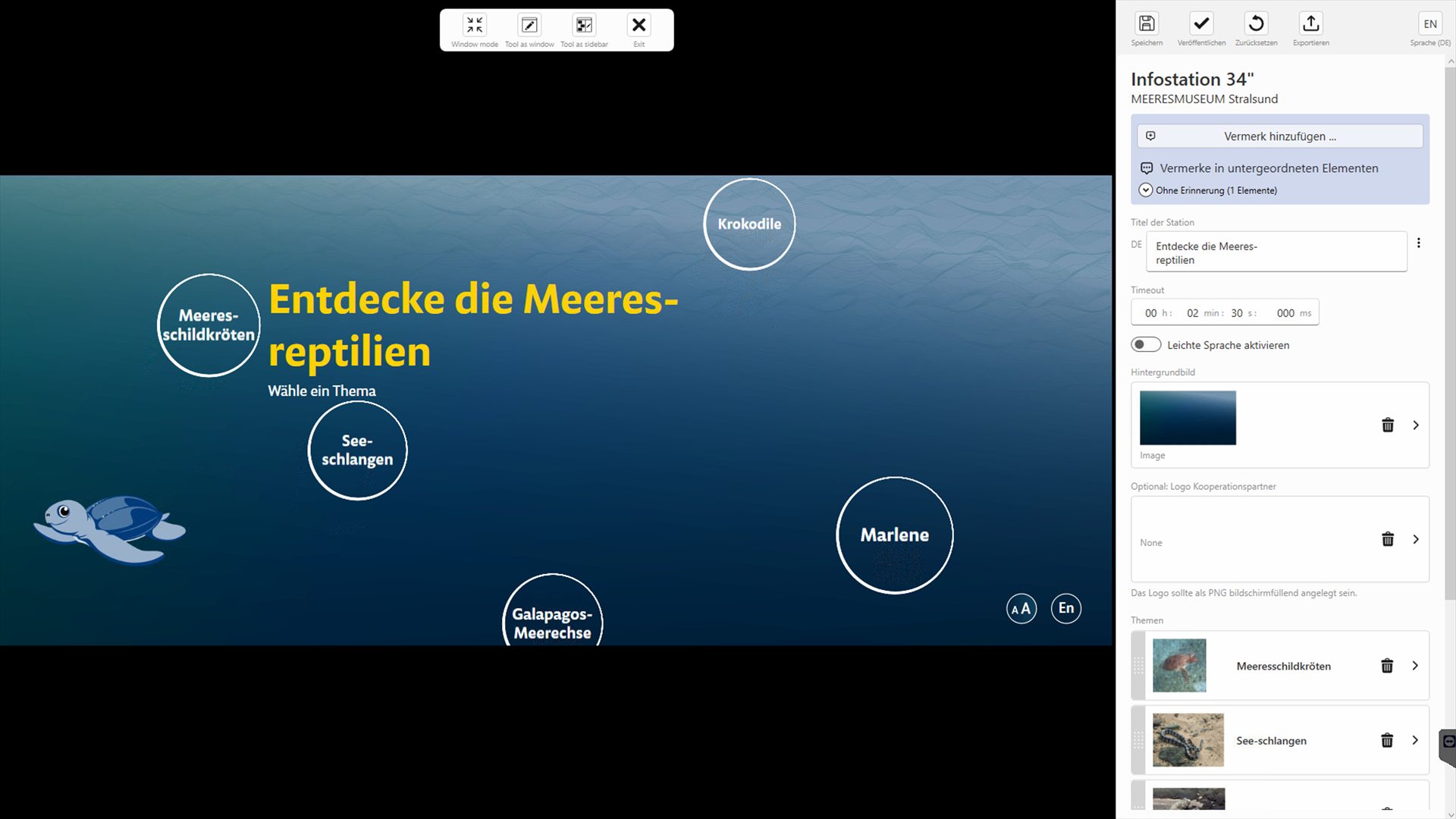
A typo on the info station. A new topic. A new video.
Your team handles that itself.
And only when you publish does the new version reach the exhibition – until then, visitors see the tried-and-tested one.
How it works
The station is the editor.
The CMS is built into the software of the stations that are to be managed with it. The input fields are generated from their content model – with hints, recommended text lengths and exactly the settings that make sense there.
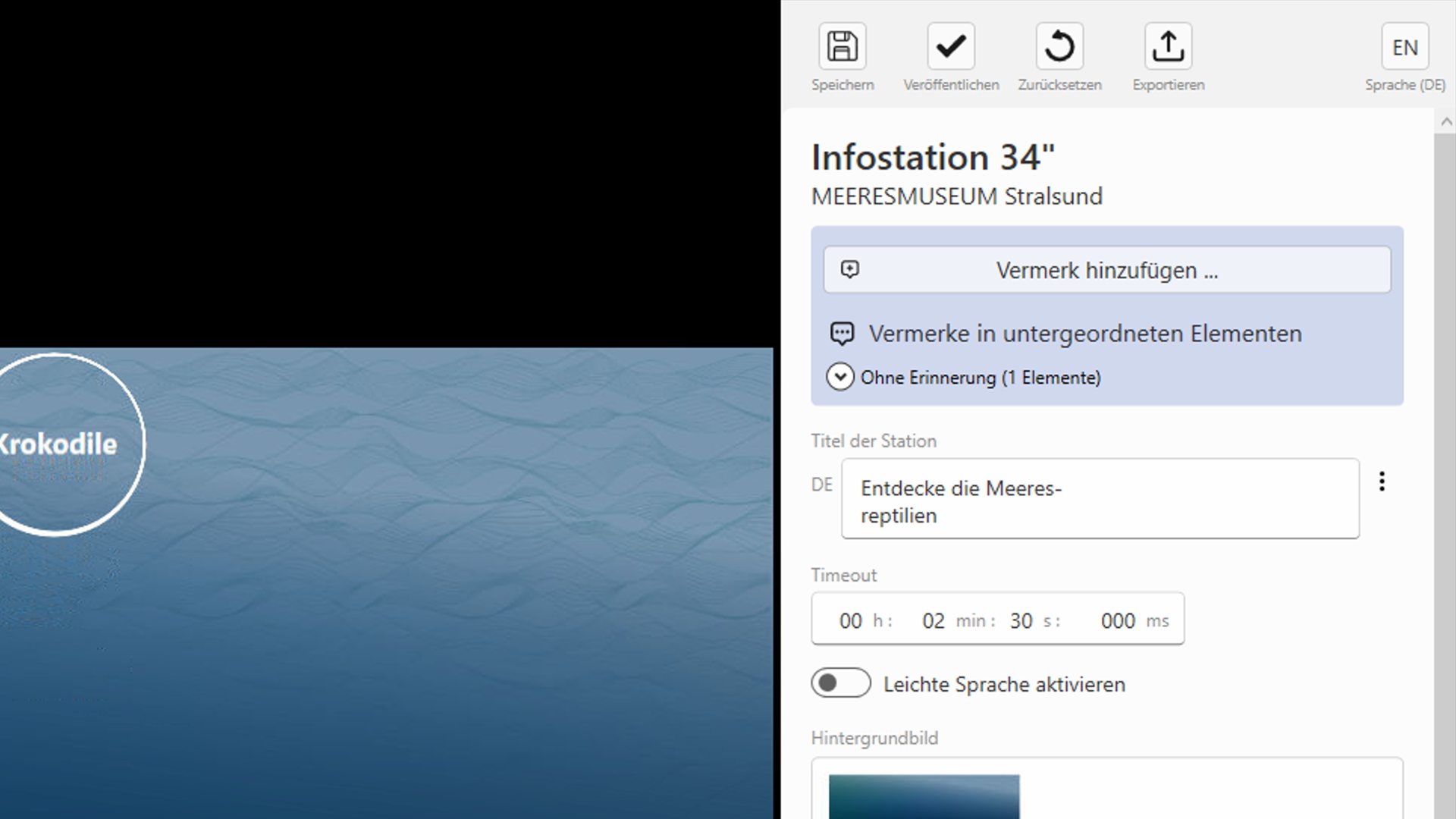
The toolbox
Save, publish, reset, switch the language – and below that the station’s fields, from the title and the idle time to the background image.
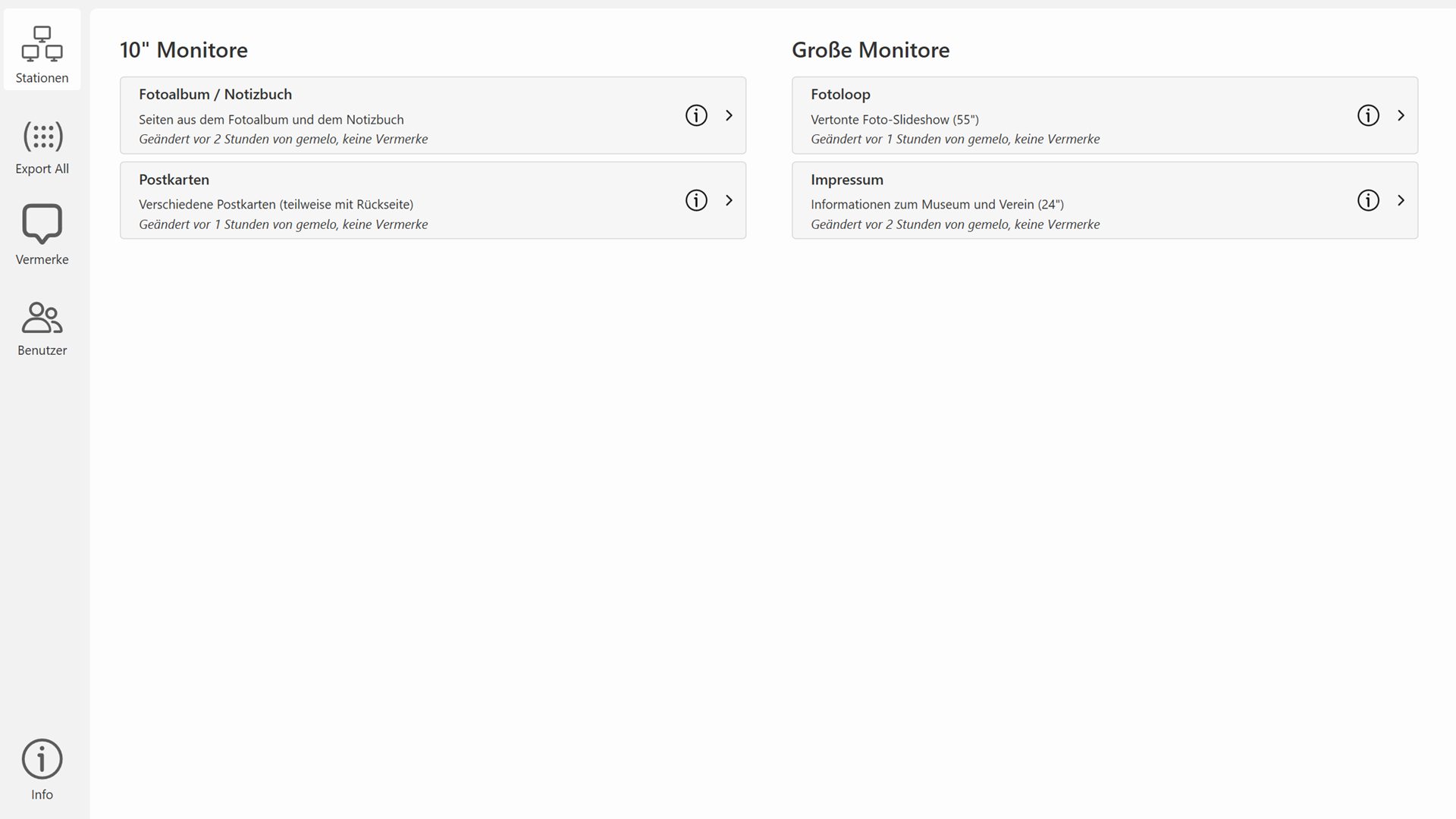
The dashboard
All editable stations in the exhibition at a glance: who made the last change, what hasn’t been published yet and where notes are waiting.
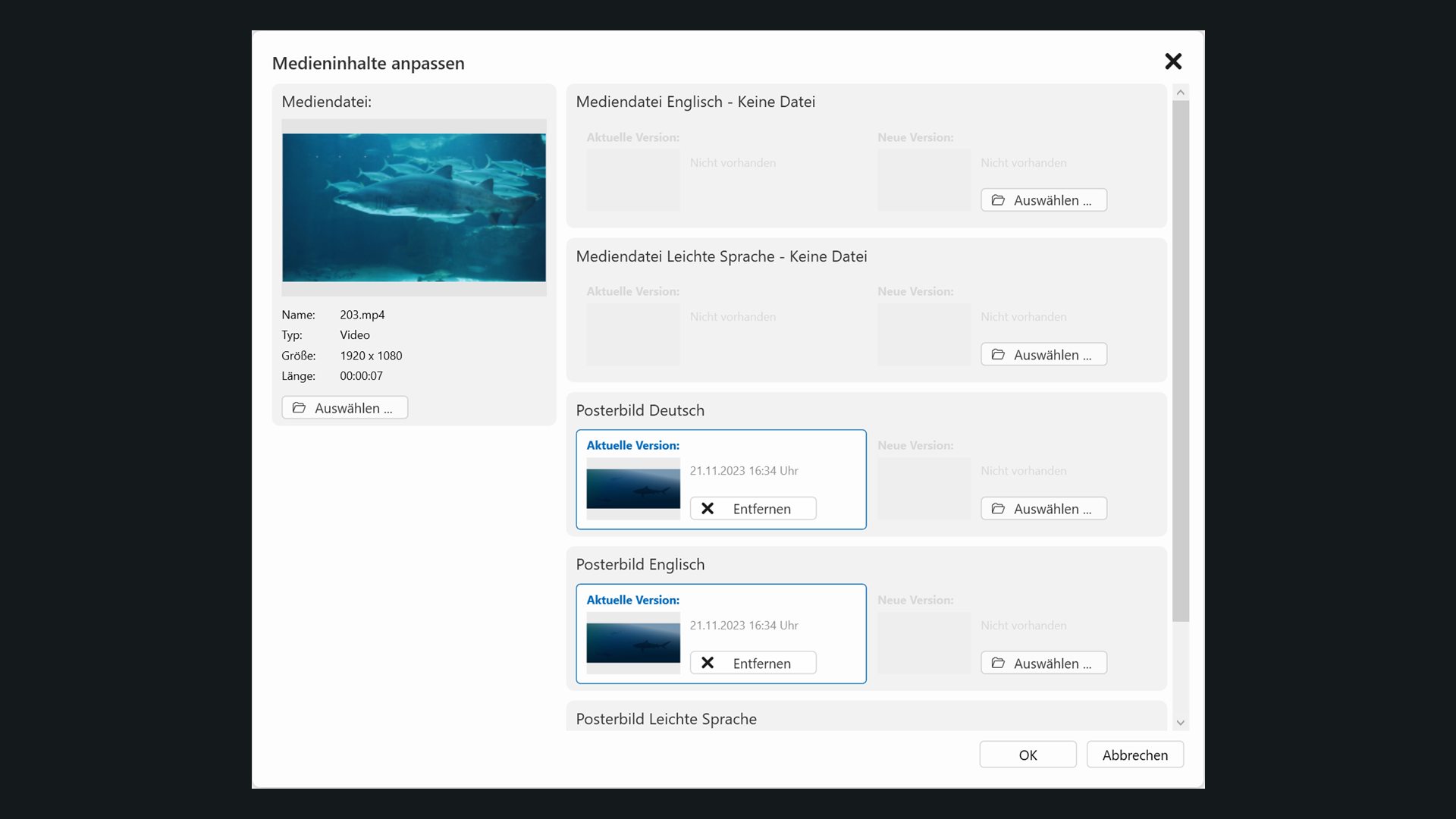
Media per language
Replace images, videos and audio – with separate versions and poster images per language, and subtitles if required.
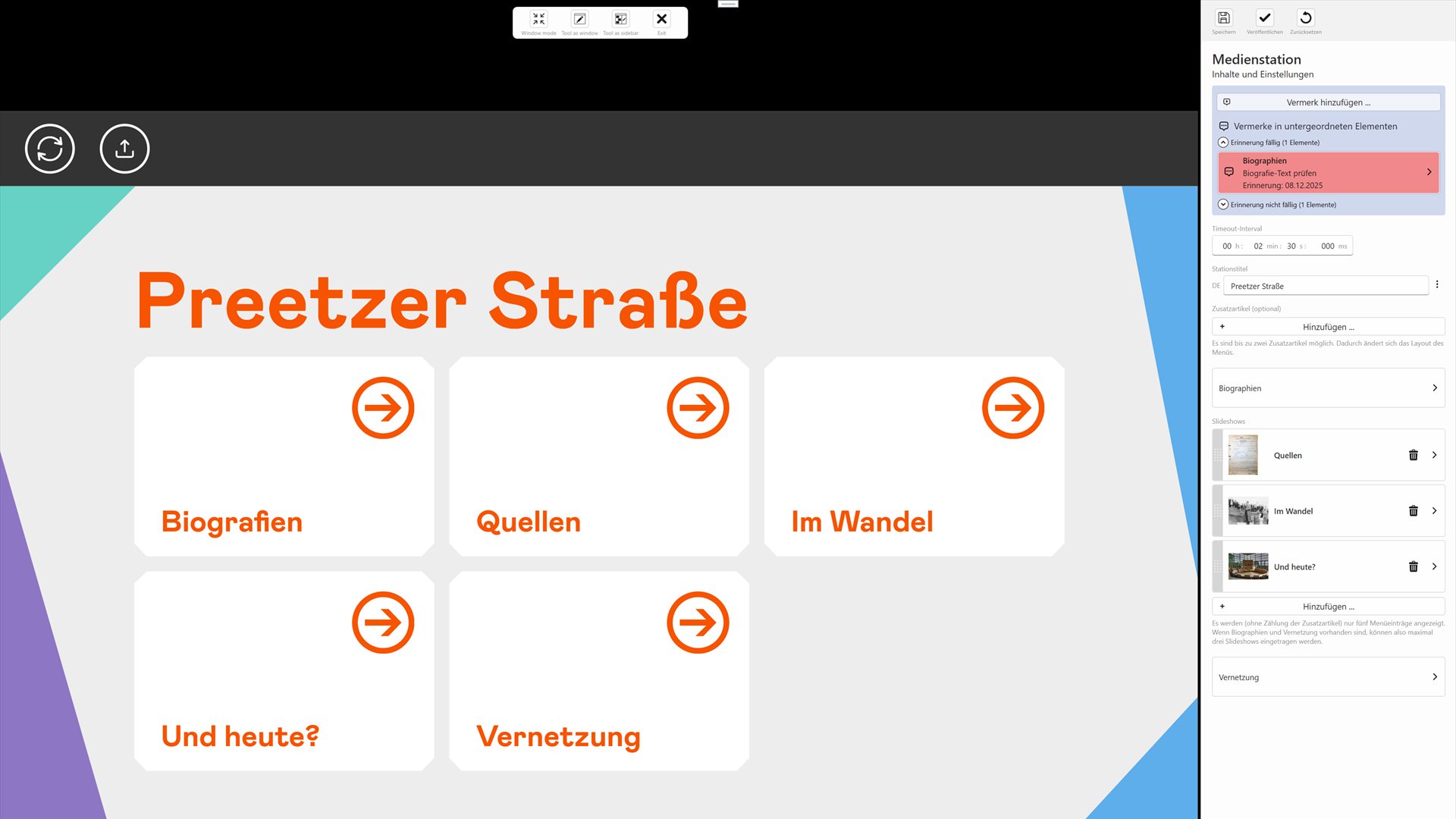
Notes with follow-up reminders
Notes attached directly to the content, with a reminder date if required. Anything due is highlighted in red; the dashboard collects all the notes in the exhibition.
Screenshots from exhibitions managed with the gemelo CMS.
Approval
Saving is not publishing.
Work in progress stays internal. Only a deliberate step brings a new version into the exhibition – and earlier versions are kept.
-
Edit
In the station software on your own PC. The station runs as visitors see it, and every change appears instantly. Only one person works on a station at a time.
-
Save
Changes are saved on the CMS server, not yet in the exhibition. That way, even larger changes can be prepared and agreed without pressure.
-
Publish
Anyone with the right to do so creates a new live version. The stations pick it up at their next update, usually on their next start-up.
Day to day
Made for the editorial team.
Multilingual
Texts and media in all of the station’s languages, including Easy Read. One button switches the station and the input fields together.
Clean text
Depending on the field, bold, italics, non-breaking spaces and soft hyphens – and a warning when a text gets longer than recommended.
Lists & order
Add, delete and reorder topics, menus and slideshows by dragging – with hints where the station has its limits.
Versions
Every state is saved as a version. Changes can be discarded, earlier versions restored.
Roles
Users edit, publishers publish, administrators manage the accounts.
Export
On request, all texts, settings and media of a station as a JSON file with a media folder – for archiving and documentation, for example.
Operation
On your premises or with us.
With a server, every exhibition gets its own CMS instance – on your premises or hosted by us. The stations play out the published version locally.
On-premises server
In the exhibition network; editing is done from the office network or via VPN.
Server hosted by gemelo
Provided by us on the internet and accessible via HTTPS – no server hardware of your own required.
Without a server
For individual stations: content is stored in files – with preview and publishing, but without user management or version history.
Workstation
A Windows PC. A launcher sets it up once; after that, updates arrive automatically.
Good to know
What people often ask.
Is the gemelo CMS a system for our website?
When do visitors see a change?
What happens if the CMS server can’t be reached?
What does our workstation need?
In use
In use in our exhibitions.
We have equipped these exhibitions with the gemelo CMS – from the oceanographic museum to the memorial site.
Try it for yourself.
We’ll show you the gemelo CMS on a real station – on site or by video call.