gemControl
The whole exhibition. A single tap.
gemControl switches an exhibition’s PCs, projectors, displays, media players, lighting and building services – all at once, room by room or station by station, manually or by schedule. Any attendant can operate it: on the touch tablet or in the browser.
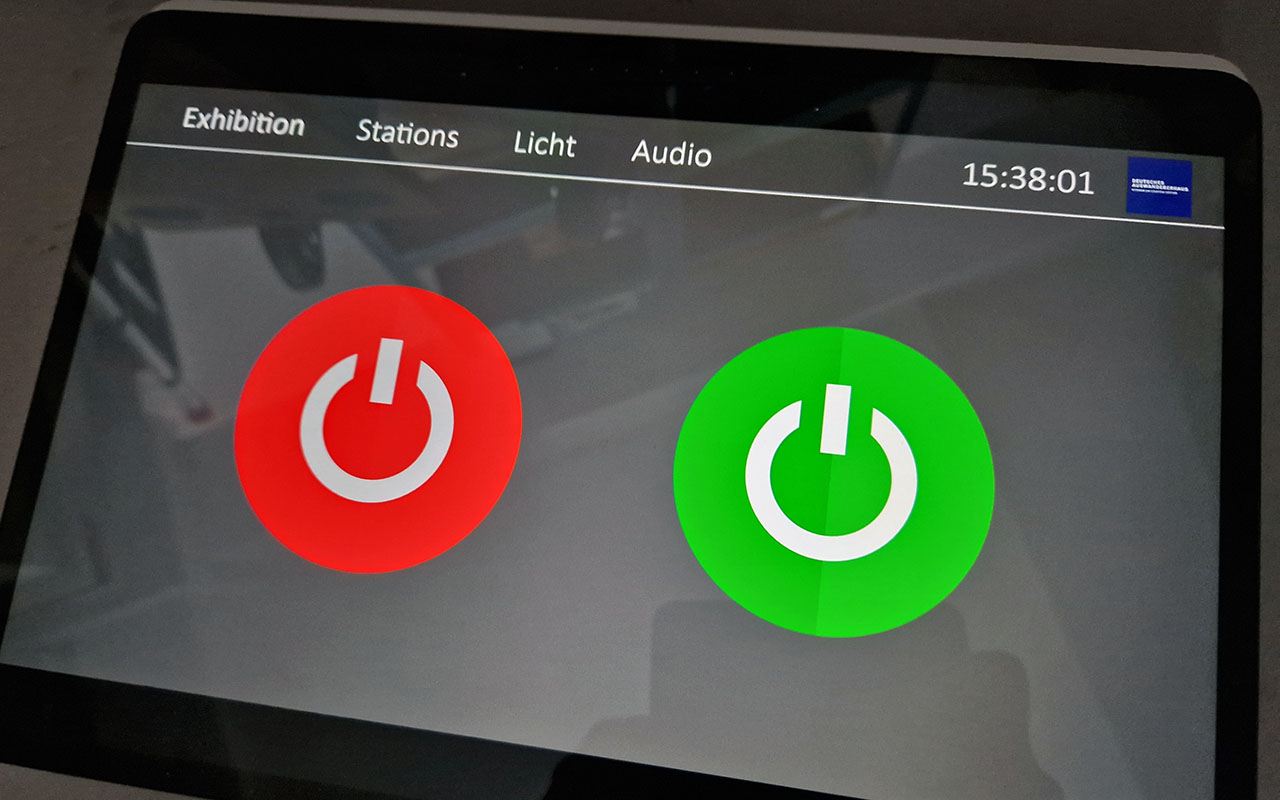
Everything on in the morning. Everything off in the evening.
In between: nothing to do.
And if a station does hang, the attendant restarts it with a single tap.
How it works
This is what simple control looks like.
The interface runs in the browser – on the permanently mounted tablet at the ticket desk just as on the technical team’s laptop. Any number of devices, with no licence fees per access.
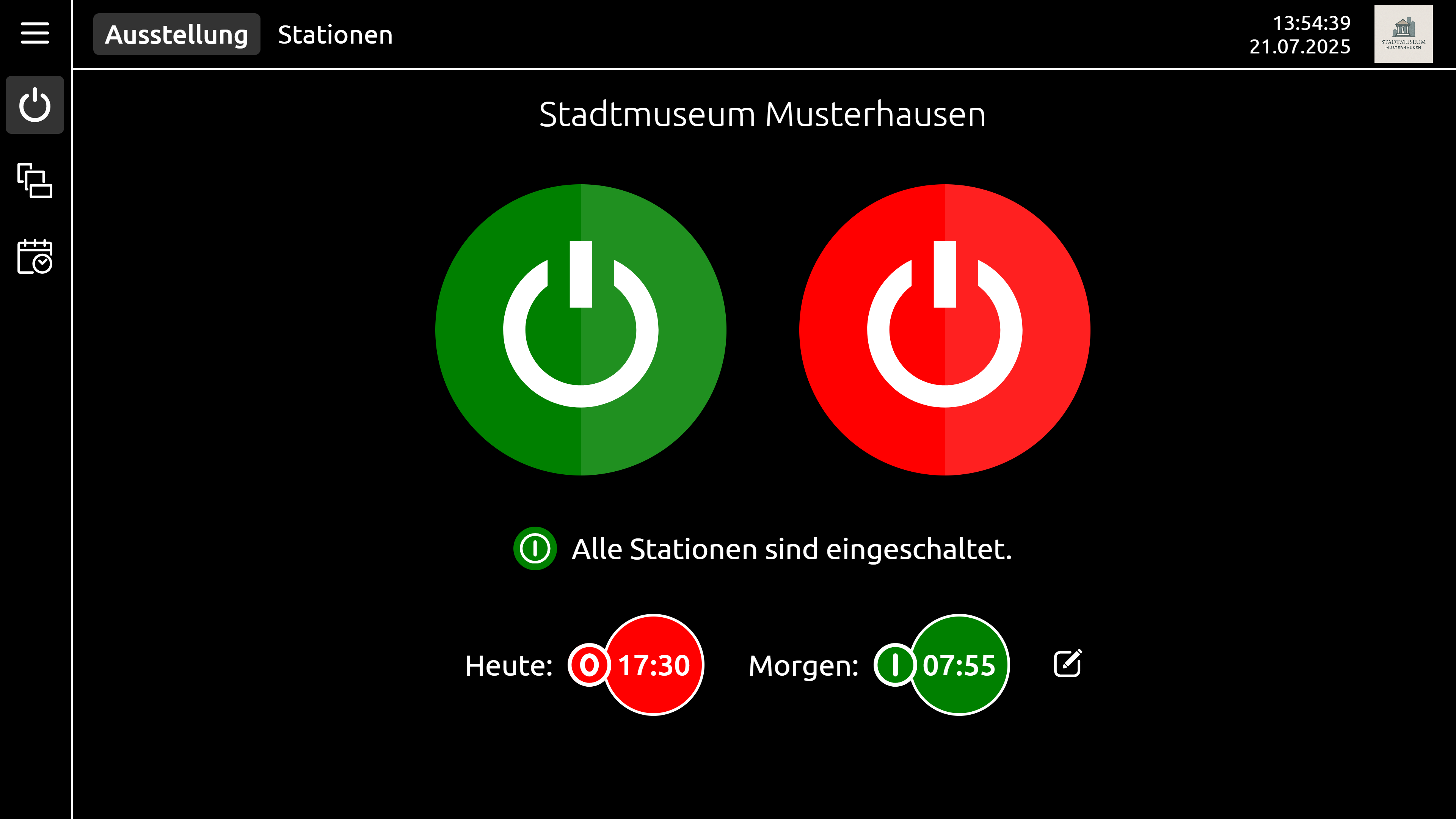
The whole exhibition
One switch for everything – with the status of all stations and the next switching times at a glance.
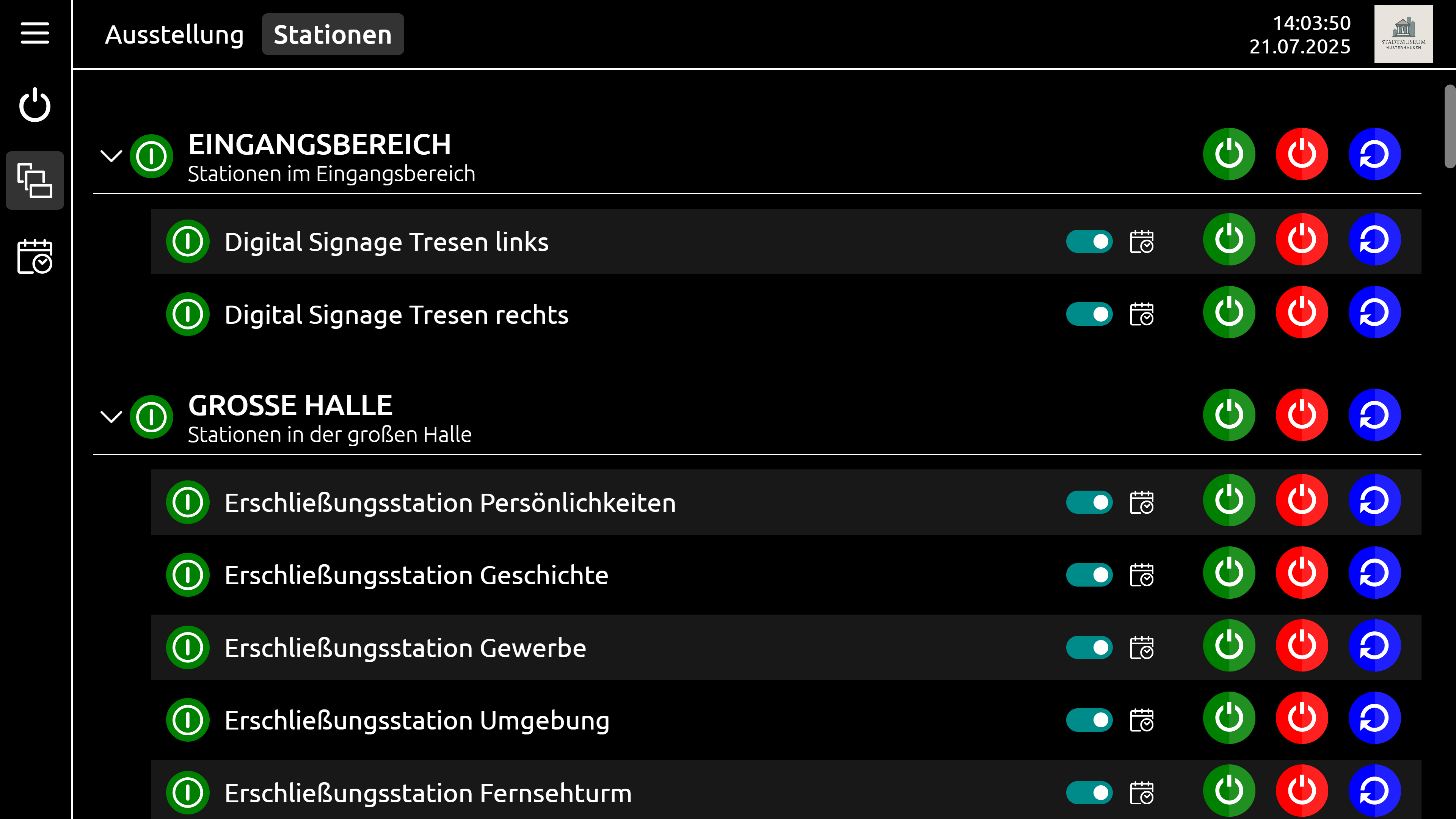
Rooms and stations
Stations grouped by room – each one individually or each group together can be switched on, off and restarted.
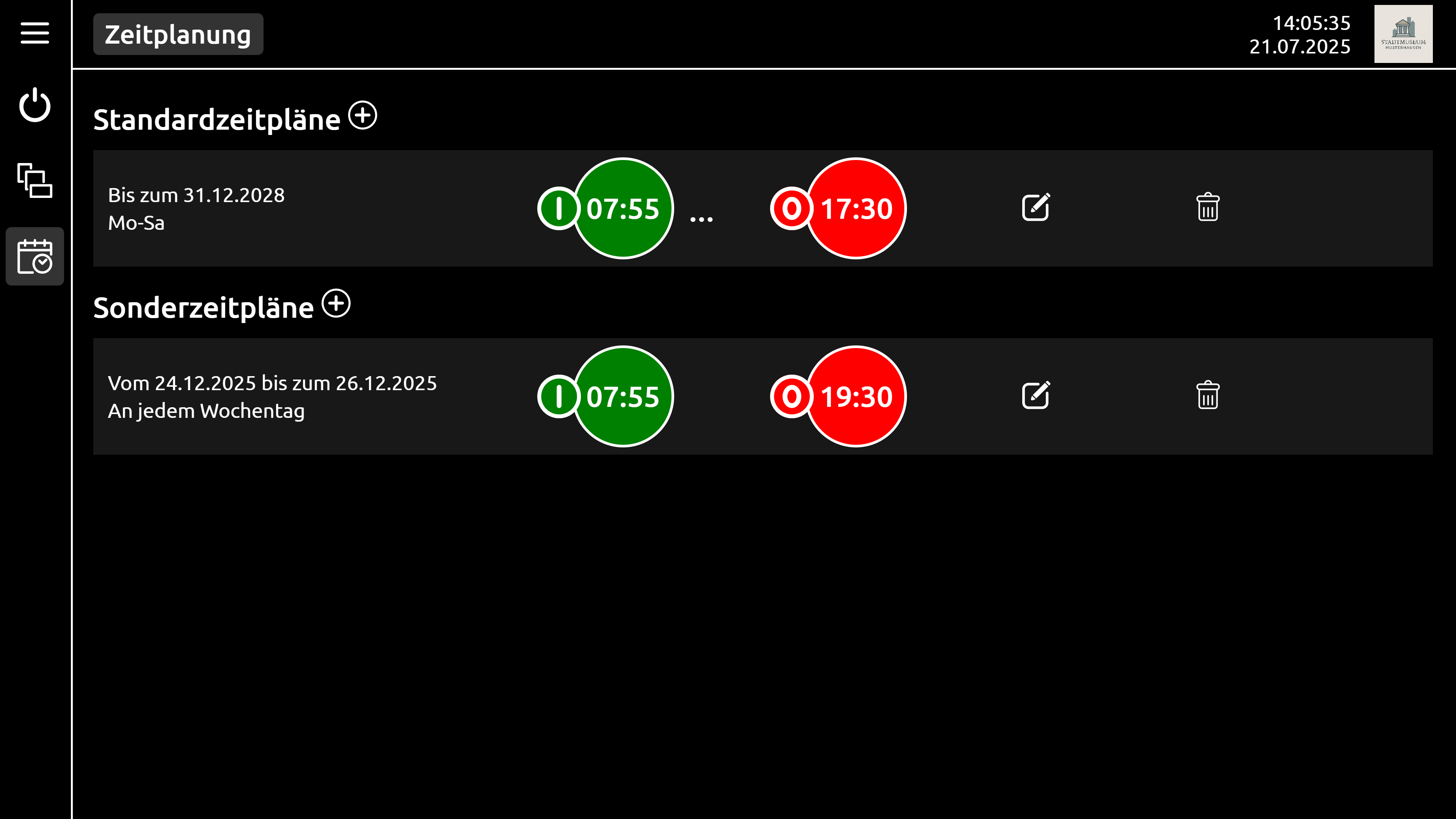
Schedules
Standard times for opening hours, plus special schedules for public holidays, events and late-night openings.
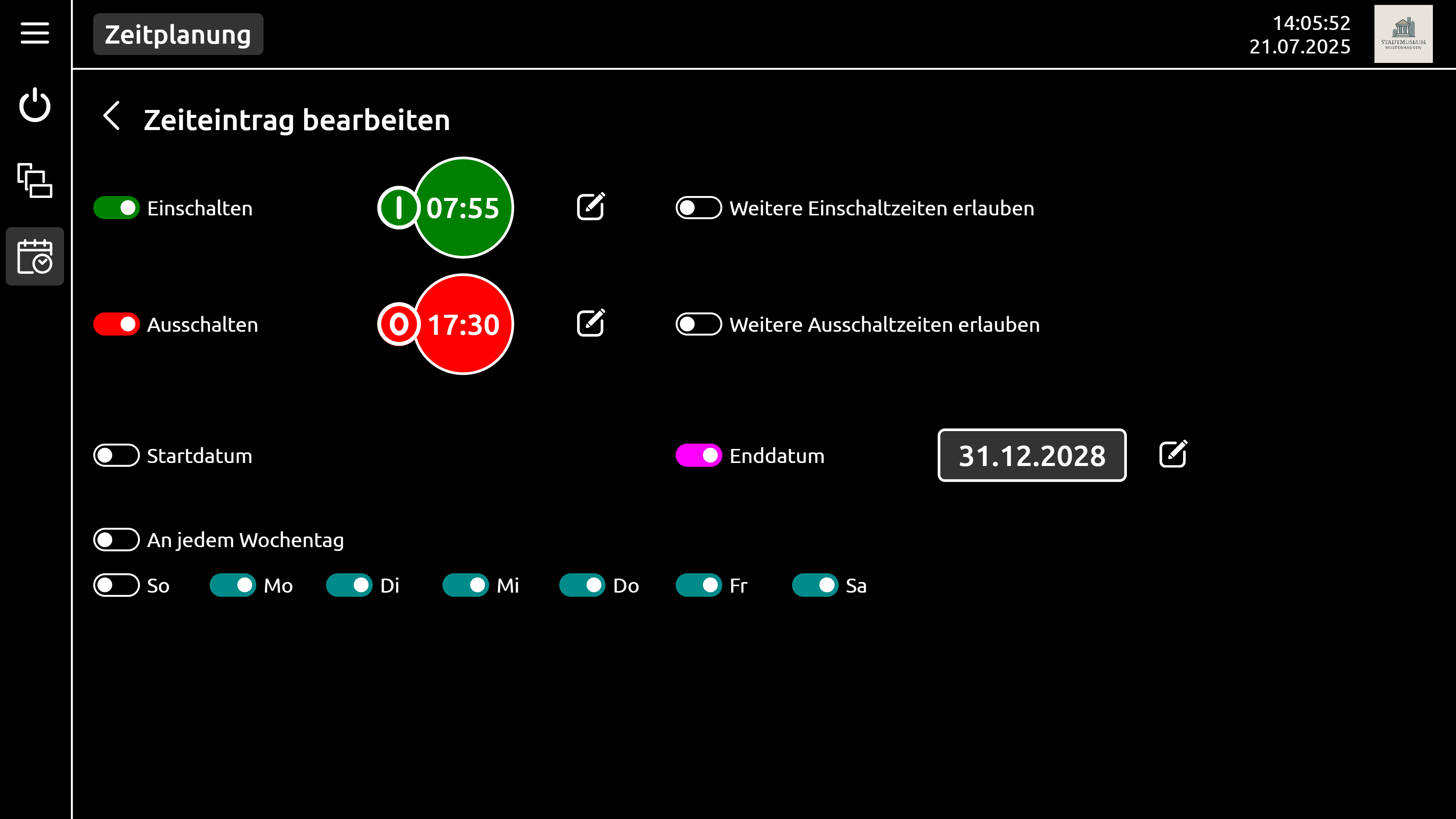
Time entries
Time, weekdays and date range – set in seconds, without a technician.
Screenshots with demo data.
What it controls
Everything in an exhibition that needs power.
The most important protocols are built in – anything missing is added as a script. On request, commands are repeated until even the most sluggish device responds.
PCs
Power on via Wake-on-LAN, clean shutdown and restart via services for Windows, Linux and macOS – including process and memory monitoring.
Projectors & displays
PJLink, Barco, projectiondesign, NEC and Sharp – and anything that can be addressed over the network.
Media players
BrightSign, for example – as well as devices that understand UDP, TCP, HTTP or Telnet.
Lighting & building
KNX, DMX, DALI and switchable contacts – for lighting, power and building services across the entire space.
Serial & scripts
RS-232 for older devices, scripts for sequences – such as volume presets per room.
Open interface
Simple text commands over the network: building management systems, room controls and other systems trigger switching themselves.
In operation
Made for the staff – and for the technical team.
Switching status
Shows for every station whether it is running.
Scheduling
Schedules with overrides for public holidays and events.
Roles
On request, access only by PIN or from specific devices.
Open configuration
Set-up without manufacturer certification, free access to the configuration.
Form factors
As software – or ready-built in an enclosure.
gemControl runs on existing hardware or comes as a ready-made device for the equipment room.
Software only
For existing Windows and Linux systems.
Rail
For DIN rail mounting, in various configurations.
Rack
In a rack enclosure for the equipment room, in various configurations.
Tablet
With a touchscreen in various sizes – ready to set up.
Why gemControl
Specialised rather than universal.
Classic media control systems are all-rounders – from video distribution to building automation. gemControl is built for exhibitions.
In use
In our exhibitions for more than ten years.
From science centres to brand experiences – controlled and monitored with gemControl, previously under the name exhibition.control.
- Montblanc Haus Hamburg
- Federal Chancellor Helmut Schmidt Foundation Hamburg
- German Emigration Center Bremerhaven
- German Oceanographic Museum Stralsund
- AlpenStadtMuseum Sonthofen
- Dynamikum Pirmasens
- UNESCO World Heritage in the Harz Walkenried · Goslar
- Universum Bremen
- Meyer Werft Papenburg
- Nationalpark-Haus Greetsiel
- VfL-FußballWelt Wolfsburg
- Wortreich Bad Hersfeld
See it for yourself.
We’ll show you gemControl with your devices and your floor plan – on site or by video call.
Request a demo +49 40 355306-0
The provider of gemControl is gemelo technologies GmbH, Hamburg.