Migration · since 2004 · version 5.7
t2ex
From Tobit® David® to Exchange® & Outlook®.
Complete and traceable: t2ex transfers emails, faxes, calendars, contacts, tasks and voice messages from Tobit® David® directly into Exchange® mailboxes or PST files – with automatic user mapping and a log for every single item.
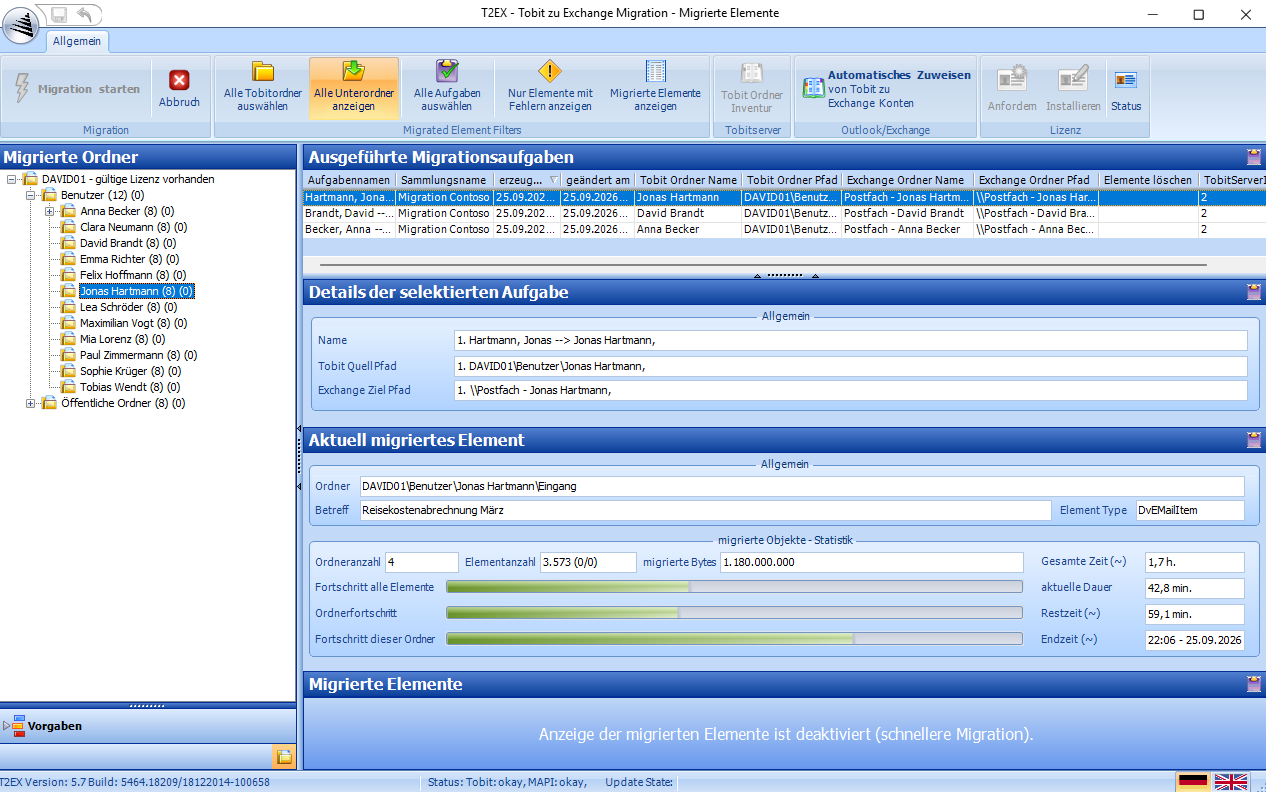
t2ex 5.7 in a demo environment with fictitious data (Contoso GmbH).
What t2ex migrates
Everything that is in Tobit® David® – right where it belongs in Outlook®.
User archives and public folders are transferred together with their subfolders. Standard folders automatically end up in the matching Outlook® folder; all others are created one-to-one.
- Emailswith attachments and original date
- Faxesincoming and outgoing
- Calendarappointments in Outlook®
- Contactsincluding phone numbers
- Tasksready to carry on working
- Voice messagesnothing gets lost
- Linksas items in the target folder
- Public foldersSwitchboard, fax inbox, sales and co.
Features
Made for migrations that have to work.
Automatic user mapping
For every Tobit® user, the wizard finds the matching Exchange® mailbox in the global address list – or creates a PST file per user.
Tobit® stays untouched
t2ex accesses your data read-only. Your existing data remains unchanged and can be used in parallel right up to the last day.
A log for every item
Every migrated item is recorded with its status; one click shows only the items with errors.
In parallel on several clients
Spread large migrations across several workstations – each client migrates its own mailboxes.
Filters & options
Date filter, recipient limit, system and deleted items folders, phone number format – all configurable per task.
Report by email
If you wish, t2ex lets you know when the migration has finished or been aborted – ideal for overnight runs.
Planning
Two routes to the goal: online or via PST.
For users, both look the same – technically, the methods differ considerably. For each task, you choose the route that suits your environment.
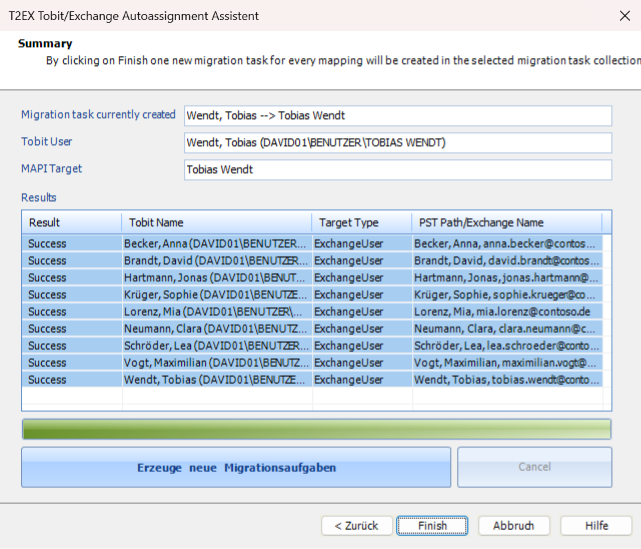
Online migration – straight into the mailbox
The data is immediately where it is needed and is covered by the server backup straight away. Requires full access to the target mailboxes.
Offline migration via PST Recommended
Faster, without Exchange® permissions – you do not even need an Exchange® server. PST files can be archived, transported and generated unattended.
Test first, then license
The free demo is already the full version and is activated with a licence file. Pay once, no subscription – prices and licences are on t2ex.de.
Demo and prices (new tab)Free support
We have been supporting moves from Tobit® to Exchange® since 2004 – via remote support directly on your migration client if you wish.
support@t2ex.deTest t2ex with your own Tobit® data.
Free of charge, no registration, no time limit – you will find the demo, instructions, prices and FAQ on the product page.
Visit t2ex.de (new tab) +49 40 355306-0
t2ex is provided and invoiced by gemelo technologies GmbH, Hamburg.